
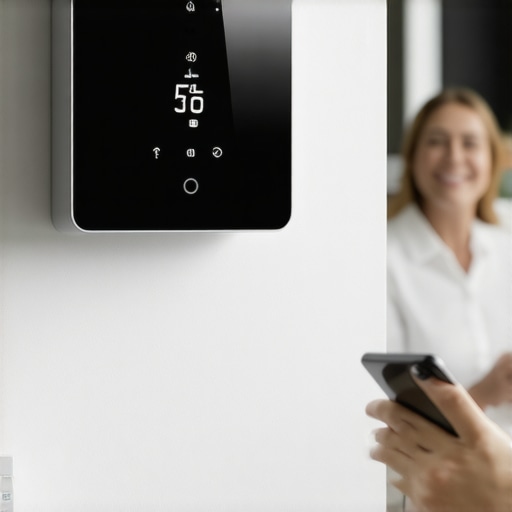
Picture this: I was freezing in my living room one evening, fiddling endlessly with my old thermostat, which seemed to have a mind of its own. It was frustrating, a waste of energy, and honestly, a bit of a wake-up call. That lightbulb moment hit me hard—I realized I needed a smarter way to control my home’s temperature, not just for comfort but for my wallet and the planet too.
Why This Matters More Than Ever
Energy costs are soaring, and heating or cooling accounts for nearly 50% of household energy use, according to the U.S. Department of Energy. That’s a huge chunk of change—and a major contributor to your carbon footprint. Installing an energy-saving smart thermostat isn’t just a tech upgrade; it’s a practical step toward lower bills and a greener lifestyle. Trust me, I’ve been there, and I know how overwhelming the idea can seem at first.
Have you ever felt intimidated by the thought of installing a new thermostat?
If so, you’re not alone. Early on, I made the mistake of rushing into the purchase without understanding the wiring or compatibility, which delayed my progress and added unnecessary frustration. Learning from that, I discovered that with the right guidance, this isn’t rocket science. In fact, I’ll walk you through the simple steps to get your smart thermostat up and running—fast and hassle-free.
Once you master the basics, you’ll wonder why you didn’t do this sooner. And if you’re curious about how to make your home even more comfortable and energy-efficient, I recommend exploring other creative solutions like brightening up your decor or building custom DIY projects for all skill levels. But first, let’s focus on that thermostat and how to turn your home into an energy-saving powerhouse.
Prepare Your Tools and Space
Before diving into installation, gather all necessary tools—screwdrivers, a voltage tester, and your new smart thermostat. Turn off your HVAC system at the breaker to ensure safety. I remember once I skipped this step and got a minor shock; lesson learned, always switch off the power first!
Check Compatibility and Read Instructions
Not every thermostat fits every system. Verify compatibility on the manufacturer’s website or in the product manual. I once bought a unit that didn’t match my wiring, causing delays. Read the installation guide thoroughly; most manufacturers offer step-by-step instructions that simplify the process.
Remove the Old Thermostat Carefully
Take a photo of your wiring for reference. Use screwdrivers to detach the faceplate and disconnect the wires. Keep screws in a safe place. During my first try, I accidentally mixed up the wires—labeling them beforehand saved me hours of troubleshooting later.
Connect the New Thermostat Wires
Match the wires to the terminals on the new device, following the manufacturer’s wiring diagram. Use the labels from your photo if needed. If your system is complex, consult the wiring diagram online or contact support. I once had to look up a wiring diagram for a dual fuel system—patience paid off.
Secure the Thermostat and Power On
Mount the thermostat on the wall, ensuring it’s level. Turn the power back on at the breaker. The device should power up, and some models will prompt you to follow initial setup steps. During my setup, I had to connect it to Wi-Fi; ensure your router is nearby for a smooth connection.
Configure Settings and Test
Follow the on-screen instructions to connect your thermostat to your Wi-Fi network. Set your preferred temperature schedules and enable energy-saving modes. I recommend setting a schedule that aligns with your daily routine to maximize savings. Test the system by adjusting the temperature and confirming your HVAC responds accordingly.
Integrate with Smart Home Ecosystem
If your thermostat supports voice control or app integration, connect it to your smart home system. Use the manufacturer’s app to monitor energy consumption and tweak settings remotely. During my last upgrade, integrating the thermostat with my voice assistant made controlling the temperature effortless—literally with a voice command.
Installing a smart thermostat is a straightforward process with the right preparation. For more creative ways to enhance your home, check out this guide to brightening your decor or explore DIY projects for all skill levels. Now, enjoy a more comfortable, energy-efficient home with your new smart thermostat!
While installing a smart thermostat might seem straightforward at first glance, many homeowners fall into subtle traps that can compromise the system’s efficiency or even cause damage. Let’s dig deeper into the nuances that often go unnoticed, and why understanding these details can make or break your smart home upgrade.
Why Most People Misjudge Compatibility and Wiring Complexities
A common misconception is that all smart thermostats are universally compatible. However, many models require specific wiring configurations or Wi-Fi standards. Skipping this step can lead to compatibility issues or even electrical shorts. For example, some older homes have wiring that doesn’t support the necessary C-wire, which supplies continuous power to the device. In such cases, using a power extender kit or choosing a compatible model is essential. According to a detailed guide on smart thermostat wiring, understanding your wiring setup beforehand saves hours of troubleshooting.
The Hidden Cost of Ignoring HVAC Compatibility
Many users overlook the importance of HVAC system compatibility, especially with complex setups like multi-stage systems or heat pumps. Installing a thermostat that doesn’t support your system’s features can result in suboptimal heating or cooling. Moreover, some advanced systems require specific wiring or configurations that aren’t covered in the basic installation manual. Consulting a professional or referencing expert resources ensures you don’t end up with a device that can’t fully operate your climate control system. This attention to detail can prevent costly mistakes down the line.
Advanced Mistakes to Avoid During Installation
One mistake that even tech-savvy users make involves incorrect wiring connections, which can damage the thermostat or your HVAC system. Labeling wires carefully, taking clear photos, and double-checking against the wiring diagram are proactive measures. Additionally, neglecting to turn off power at the breaker can lead to shocks or system resets. During my own installations, I learned that patience and meticulousness are key. For those interested in mastering these skills, the comprehensive DIY wiring and programming guide offers invaluable tips.
How Can Advanced Users Benefit from Deeper Technical Knowledge?
For those who want to go beyond basic installation, understanding the nuances of smart thermostat programming and integration can unlock maximum energy savings and home comfort. For instance, customizing schedules based on occupancy patterns or integrating sensors for zone heating can dramatically improve efficiency. These advanced techniques require a grasp of system wiring, communication protocols, and smart home ecosystem integration. By diving into detailed tutorials and expert insights, you can avoid common pitfalls and optimize your setup for long-term benefits. Check out resources like home improvement tips to expand your DIY skills.
Have you ever fallen into this trap? Let me know in the comments. Remember, mastering these nuances not only saves time and money but also ensures your smart home system performs at its peak, transforming your living space into an energy-efficient oasis.
Invest in the Right Tools for Longevity
To ensure your smart thermostat continues to operate at peak efficiency, investing in quality tools and software is essential. I personally recommend a reliable digital multimeter, such as the Fluke 117, because it provides precise voltage readings crucial for troubleshooting wiring issues without risking damage to your system. For software, I rely on the manufacturer’s dedicated app, which is regularly updated to enhance compatibility and security, ensuring seamless control over your device from anywhere. These tools help me diagnose problems early, saving time and preventing costly repairs down the line.
Schedule Regular Maintenance Checks
Consistent upkeep extends the life of your smart thermostat and maintains energy savings. I set a quarterly reminder to check the wiring connections, especially after any power outages or extreme weather. During these checks, I verify that the device’s firmware is up to date—many issues stem from outdated software. Firmware updates often include security patches, new features, and bug fixes that keep your thermostat functioning correctly. For detailed guidance, you might want to explore home improvement tips that emphasize routine maintenance practices.
Tools I Recommend for Long-Term Success
Beyond basic equipment, I suggest using a Wi-Fi analyzer app like NetSpot to ensure your thermostat maintains a strong connection. A stable internet connection is vital for remote access and smart features, and these apps help identify dead zones in your home Wi-Fi network. Additionally, a small USB power bank can be handy during firmware updates or troubleshooting, providing backup power if your circuit is unstable. These small investments in tools can significantly reduce downtime and improve your device’s reliability.
How do I keep my smart thermostat working over time?
Maintaining your smart thermostat involves a combination of regular software updates, physical inspections, and using the right diagnostic tools. Always follow the manufacturer’s guidelines for cleaning and inspecting the device, and don’t ignore firmware notifications—these often include critical security patches and feature enhancements. To stay ahead of potential problems, I recommend periodically reviewing your energy consumption data via the app, which can reveal irregularities indicating a system issue. This proactive approach ensures your investment continues to deliver savings and comfort year after year.
Looking to expand your DIY skills? Check out easy crafts to brighten up your home or explore step-by-step DIY guides for more home improvement projects. Remember, a well-maintained smart thermostat not only saves money but also enhances your home’s comfort and safety—so keep it in top shape with these expert tips!
The Hardest Lesson I Learned About Smart Thermostat Installation
One of the most challenging moments was overlooking the importance of verifying my HVAC system’s compatibility. Initially, I assumed all thermostats would work seamlessly, but I quickly learned that mismatched wiring or unsupported features could lead to costly mistakes or system damage. Taking the time to research my specific setup and consulting expert resources saved me headaches later on.
How I Discovered the Power of Proper Wiring Labels
During my first attempt, I didn’t label my wires, which caused confusion and delays. Once I started labeling everything carefully and taking photos, the installation became a smooth, almost enjoyable process. This simple step turned out to be a game-changer, especially when troubleshooting or upgrading in the future.
Why I Switched to a Power Extender Kit
Running into issues with my older home’s wiring, I found out I lacked a dedicated C-wire. Installing a power extender kit not only solved the problem but also improved my system’s reliability. This experience taught me that understanding your home’s wiring is crucial before buying a smart thermostat, especially in older buildings.
The Unexpected Benefit of Firmware Updates
Keeping my thermostat’s firmware up to date has been vital. I once ignored an update, only to face connectivity issues that could have been avoided. Regular updates ensure security, new features, and optimal performance, making maintenance an ongoing part of my smart home routine.
Curated Recommendations for Smarter Home Control
My go-to tools include a reliable multimeter like the Fluke 117, which helps me safely troubleshoot wiring. For software, I trust the manufacturer’s app for updates and remote management, as it’s user-friendly and secure. Additionally, resources like this DIY wiring guide have been invaluable for deepening my understanding and avoiding mistakes.
Harnessing Knowledge to Transform Your Home Experience
The most rewarding part of my journey has been realizing how a smart thermostat can truly transform home comfort and energy savings. It’s not just about saving money; it’s about creating a home environment tailored perfectly to my routines. If I can do it, so can you. Dive into DIY projects like brightening up your decor or building other DIY projects—the possibilities are endless and rewarding.