
My Journey into the World of Digital Fabric Patterns
Ever since I started exploring fabric design, I was fascinated by how digital tools could transform simple sketches into intricate patterns. One evening, I decided to dive deep into advanced digital pattern design for fabric printing, combining the power of Procreate and Adobe Illustrator. That night marked a turning point in my creative process, and I want to share some insights from my experience to inspire your own projects.
Why I Chose Procreate & Illustrator for Fabric Design
Initially, I was hesitant about using digital platforms, but I quickly realized their potential. Procreate’s intuitive interface allowed me to sketch freehand with natural brush strokes, capturing organic designs effortlessly. Meanwhile, Illustrator’s precision tools helped me refine and manipulate my patterns with seamless vector graphics. Together, these tools offered a comprehensive workflow that suited my artistic style and technical needs.
Mastering Advanced Techniques for Pattern Seamlessness
One challenge I faced was creating seamless repeating patterns. Through trial and error, I learned to use the pattern tool in Illustrator, which enables me to design tiles that align perfectly. Additionally, I explored the use of pattern matching techniques to ensure my designs flow naturally across fabric lengths. This process requires patience, but it’s incredibly rewarding when the final print looks flawless.
Blending Hand-Drawn Art with Digital Precision
One aspect I love about this workflow is how I can scan my hand-drawn sketches into Procreate, then add layers of color, texture, and shading. This hybrid approach preserves the organic feel of my initial ideas while leveraging digital tools for refinement. I often experiment with different brushes in Procreate to mimic traditional media, then import these elements into Illustrator for vectorization and pattern repetition. The synergy between these apps unlocks a new level of creative freedom.
How Do I Ensure Color Accuracy and Print Quality?
Color fidelity is crucial when preparing designs for fabric printing. I rely on calibrated monitors and color profiles to maintain consistency. Additionally, I consult resources like this comprehensive guide to optimize my color palettes for different printing techniques. It’s also wise to communicate with your printer provider to understand their specifications and file requirements, ensuring your digital designs translate perfectly onto fabric.
What are the common pitfalls in digital fabric pattern design, and how can I avoid them?
One common mistake is neglecting the importance of resolution and file format. Always work in high resolution (at least 300 dpi) and save your files in formats compatible with your printer, such as TIFF or PDF. Another pitfall is overlooking pattern alignment; double-check your seamless repeats on large canvases before printing. Lastly, don’t be afraid to experiment with different textures and layering techniques to add depth to your designs.
If you’ve enjoyed my insights, I invite you to share your own experiences or ask questions in the comments below. Let’s build a community of passionate fabric designers!
Unlocking the Secrets of Seamless Digital Fabric Patterns
Creating flawless seamless patterns is both an art and a science, requiring meticulous attention to detail. As an expert, I recommend starting with a high-resolution canvas—at least 300 dpi—to ensure your designs translate well onto fabric. When designing in Illustrator, utilize the pattern tile feature, which allows you to see exactly how your pattern will repeat and make adjustments for perfect alignment. Double-check your pattern on large canvases to catch any mismatched seams early in the process. Incorporating pattern matching techniques, such as offsetting and grid snapping, can significantly improve your results. For more advanced pattern matching strategies, explore expert wallpaper pattern matching tips. These methods help ensure your fabric designs look seamless and professional, whether used for upholstery, clothing, or home decor.
Blending Hand-Drawn Art with Digital Precision for Unique Textures
One of the most rewarding aspects of digital fabric design is the hybrid workflow that combines traditional art with digital finesse. Scan your hand-drawn sketches into Procreate, where you can experiment with various brushes that mimic watercolor, ink, or pencil textures. This process preserves the organic feel of your initial ideas while allowing for easy adjustments and enhancements. Once satisfied, import these layered images into Illustrator for vectorization, enabling precise pattern repeats and scaling without loss of quality. This approach not only adds depth and authenticity to your designs but also streamlines the production process, making it easier to share and print your work. For inspiration and tutorials on creating textured digital art, visit home decor DIY crafts.
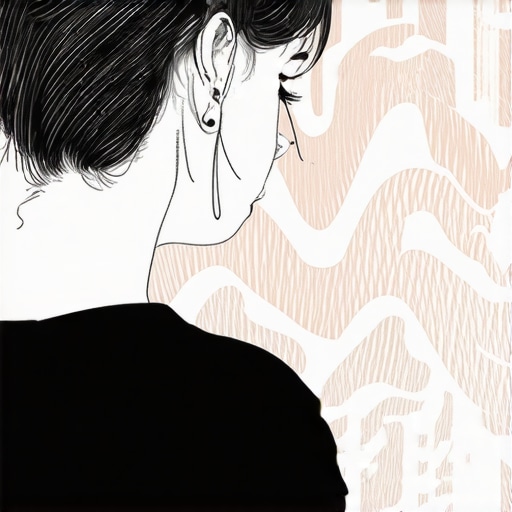
Illustration of a digital artist blending hand-drawn sketches with digital tools for fabric pattern creation.
Color Management & Print Fidelity: Ensuring Vibrant, Accurate Results
Color accuracy is paramount in fabric printing to achieve vibrant and true-to-design results. Always calibrate your monitor using professional calibration tools. When preparing files, employ color profiles such as Adobe RGB or CMYK, depending on your printer’s specifications, to maintain consistency across devices. Communicate with your printing service to understand their requirements—whether they prefer TIFF, PDF, or other formats—and provide them with color swatches or sample prints if possible. Utilizing resources like this comprehensive guide can help optimize your color palettes for different printing techniques, including digital, screen, or sublimation printing. Proper file preparation and color management ensure your digital designs translate beautifully onto fabric, avoiding dull or mismatched colors that can ruin an otherwise perfect pattern.
What are the common pitfalls in digital fabric pattern design, and how can I avoid them?
One common mistake is working at insufficient resolution, which leads to pixelation or blurry prints. Always start with a minimum of 300 dpi and save your files in high-quality formats like TIFF or PDF. Another issue is pattern misalignment—test your seamless repeats on large canvases before finalizing your design. Overlooking color profiles can also cause color shifts during printing; hence, always embed color profiles and communicate with your printer. Lastly, don’t be afraid to experiment with layering textures and subtle shading to add depth, but keep in mind that overly complex designs can complicate the printing process. Practice, patience, and understanding your printing partner’s specifications are key to mastering this craft.
If you found these tips helpful, I encourage you to share your own experiences or ask questions in the comments below. For more detailed insights on innovative DIY projects, visit smart DIY solutions and continue elevating your fabric design game!
Embracing the Nuances of Digital Pattern Craftsmanship
As I delved deeper into the art of digital fabric pattern design, I discovered that the journey is as much about understanding the subtleties as it is about mastering technical skills. The process of creating seamless, high-quality patterns demands an eye for detail and a willingness to experiment with complex layering, shading, and color interactions. One of the most enlightening moments was realizing that the digital tools I use are not just aids but collaborators in my creative process, allowing me to push boundaries that traditional methods might limit. This realization transformed my approach, inspiring me to explore more intricate designs that tell stories and evoke emotions through texture and pattern.
The Artistic Power of Layering and Texture
Incorporating layered textures adds depth and richness to fabric patterns, making them more engaging and tactile in appearance. I often combine hand-drawn elements scanned into Procreate with digitally created textures, such as watercolor washes or ink splatters, to produce a multidimensional effect. These textures, when carefully integrated into the vector pattern in Illustrator, create a visual dance that captures the eye and invites closer inspection. Experimenting with transparency, blending modes, and overlay techniques allows me to craft patterns that are not just visually appealing but also imbued with a sense of organic authenticity. This meticulous layering process reveals the nuanced interplay between digital precision and artistic spontaneity, a harmony I cherish deeply.
Refining Color Fidelity for Professional-Grade Prints
Color management remains a pivotal aspect of my workflow. Achieving vibrant, accurate colors on fabric requires more than just selecting a palette—it demands a comprehensive understanding of color profiles, printer capabilities, and environmental calibration. I often calibrate my monitor with professional tools like the X-Rite i1, ensuring my digital colors align with physical outputs. Additionally, I explore color spaces like Adobe RGB for digital work and convert to CMYK for print, bridging the gap between screens and textiles. Collaborating closely with my printing service, I provide sample swatches and detailed specifications, which significantly reduces the risk of color shifts and ensures my designs translate faithfully onto fabric. Recognizing these subtleties elevates the quality of my work and builds trust with clients and printers alike.
Addressing Common Pitfalls with Advanced Strategies
Despite my experience, I’ve encountered challenges such as pattern distortion during scaling or unexpected color shifts. To mitigate these issues, I employ advanced techniques like creating multiple test tiles at different sizes and meticulously checking pattern alignment on large canvases before finalizing. I also keep a detailed library of color profiles and test prints to identify discrepancies early. Overcoming these hurdles requires patience and an analytical mindset, but the payoff is a seamless, professional-grade pattern that can be scaled, repeated, and printed without loss of quality. Sharing these insights with fellow designers fosters a community of continuous learning and mastery, which I find incredibly rewarding.
What Are the Hidden Complexities Behind Flawless Pattern Repetition?
One of the most nuanced aspects of digital pattern design is ensuring perfect repetition without visible seams. This involves understanding the mathematical principles of pattern tiling, such as offsetting and grid snapping, combined with practical techniques like using the pattern tool in Illustrator. I often check my patterns on large test canvases to catch misalignments and adjust anchor points accordingly. For more advanced pattern matching, I recommend exploring expert tutorials that delve into multi-directional pattern matching and color consistency across repeats. Mastering these complexities transforms a good design into a truly professional piece that looks seamless from every angle.
If you’re passionate about elevating your fabric pattern skills, I encourage you to share your experiences or ask questions in the comments. For further inspiration and in-depth tutorials, visit this comprehensive guide.
The Nuances of Pattern Matching in Complex Fabrics
One of the most intricate challenges I faced was mastering multi-directional pattern matching, especially when working with highly detailed designs that require perfect alignment across seams. Unlike simpler repetitive motifs, these patterns demand an understanding of advanced tiling algorithms and precise anchor point adjustments. I delved into resources such as expert wallpaper pattern matching strategies to refine my techniques. Incorporating tools like Adobe Illustrator’s offset path and grid snapping, I meticulously check pattern continuity on large test canvases. This rigorous process ensures that the final fabric print appears flawless from every angle, elevating the professionalism of my designs and satisfying even the most discerning clients.
Creating Rich Textural Effects Through Layering and Mixed Media
Embracing the power of digital layering has transformed my approach to fabric design. By scanning traditional sketches into Procreate, I add complex textures such as watercolor washes, ink splatters, or even digitally simulated embroidery stitches. The key lies in blending these textures seamlessly into my vector patterns in Illustrator, using transparency adjustments and blending modes like multiply and overlay. This technique not only produces visually compelling depth but also evokes tactile sensations, making the fabric more engaging. The process demands patience and an eye for detail, but the result is a richly textured pattern that tells a story and adds genuine artistic value to my work. For inspiration on textured digital art, explore DIY crafts for home decor.
Ensuring Color Fidelity: From Screen to Fabric
Color management remains a cornerstone of professional fabric design. To achieve vibrant, accurate results, I calibrate my monitor regularly using tools like the X-Rite i1. I work within color spaces such as Adobe RGB for digital creation and convert my files to CMYK before sending them to print, minimizing color shifts. My communication with the printer is crucial; I provide detailed specifications and sample swatches to ensure my digital hues translate correctly onto the textile. Additionally, embedding color profiles within my files helps maintain consistency. This meticulous attention to color fidelity guarantees that the final product matches my vision, whether it’s for fashion, upholstery, or home textiles. For detailed insights, see eco-friendly fabric printing guides.
What Are the Most Effective Techniques for Achieving Flawless Pattern Repetition at Scale?
One of the most advanced considerations in my workflow is ensuring pattern repetition remains seamless at large scales. I utilize the pattern tile feature in Illustrator, combined with offsetting techniques that shift the pattern to identify misalignments. Regularly testing my patterns on oversized canvases helps me catch anomalies early. Additionally, I explore multi-directional pattern matching methods, which involve complex grid systems and color consistency checks. Such techniques, often detailed in specialized tutorials, help me create designs that look continuous and professional, whether printed on a single length of fabric or across multiple yards. Mastery of these methods transforms a good pattern into a truly impeccable one, suitable for high-end commercial applications. To deepen your understanding, consider reviewing comprehensive pattern design resources.
Things I Wish I Knew Earlier (or You Might Find Surprising)
Understanding Pattern Repetition
One thing I wish I had grasped sooner was how critical pattern matching techniques are for creating truly seamless fabric designs. Early on, I often overlooked the importance of testing my repeats on large canvases, which led to visible seams in my prints. Now, I make it a habit to check my tiles meticulously and use offset functions in Illustrator to catch misalignments before printing. It’s a game-changer that elevates the professionalism of your work.
The Power of Layered Textures
Another revelation for me was how layering different textures and hand-drawn elements can add depth and authenticity to digital fabric patterns. Combining scanned sketches with digital brushes in Procreate creates rich, tactile effects that make my designs stand out. Exploring blending modes and transparency has opened new creative avenues I hadn’t considered before.
Color Management Matters
Color fidelity is often underestimated, but I learned the hard way that calibrating my monitor and embedding color profiles are essential steps to ensure my printed fabrics match my digital vision. Regular calibration with tools like X-Rite has saved me from costly misprints and disappointed clients. Trust me, investing in color accuracy pays off in the long run.
Resolution and File Formats
Working at high resolutions—at least 300 dpi—is something I wish I’d prioritized from the start. Low-res files lead to pixelated prints, which can ruin a beautiful pattern. Saving files in TIFF or PDF formats and double-checking pattern alignment before production are simple habits that prevent problems and guarantee quality.
Experiment and Practice
The most surprising part of my journey was realizing that experimentation is key. Don’t be afraid to try different textures, color palettes, and pattern repeats. Every mistake teaches you something new, and over time, your skills and confidence grow exponentially.
Resources I’ve Come to Trust Over Time
- Adobe Creative Cloud tutorials: These comprehensive guides helped me understand advanced pattern techniques and vector tools. Highly recommended for both beginners and experienced designers.
- Pattern Design Tips by Spoonflower: Their blog offers practical advice for creating seamless patterns specifically for fabric printing, which greatly improved my workflow.
- Procreate and Illustrator forums: Online communities where I learned tips and tricks from fellow designers. Sharing experiences here has been invaluable.
- Color Management Resources from X-Rite: Their guides and tools have been essential for mastering color fidelity and ensuring my designs look vibrant and accurate on fabric.
Parting Thoughts from My Perspective
Mastering digital fabric pattern design is a rewarding journey that combines technical skills with artistic expression. The blend of hand-drawn textures and digital precision allows for truly unique creations that can be printed on a variety of fabrics. Remember, patience and experimentation are your best friends—each project is an opportunity to learn and refine your craft. If this resonated with you, I’d love to hear your thoughts or see your own pattern adventures. Feel free to share your experiences in the comments or explore more on related topics like home improvement tips. Happy designing!